Run every timer
at once.
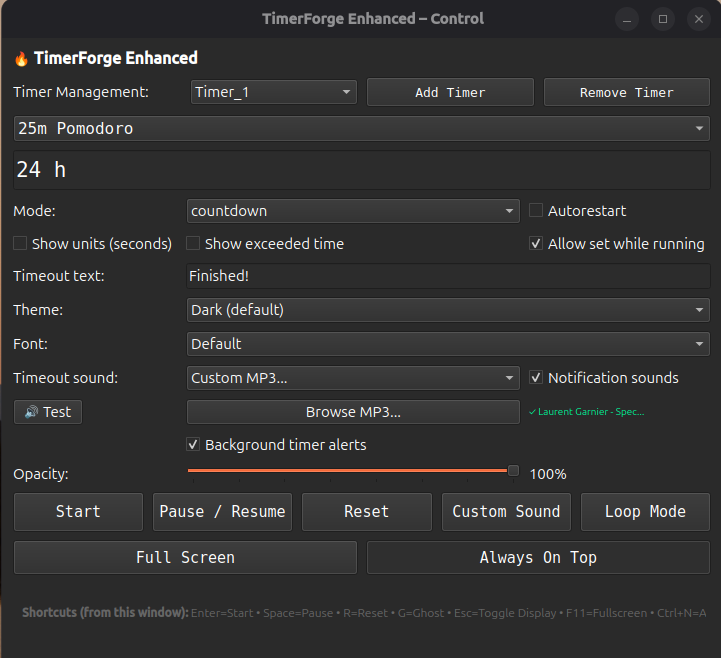
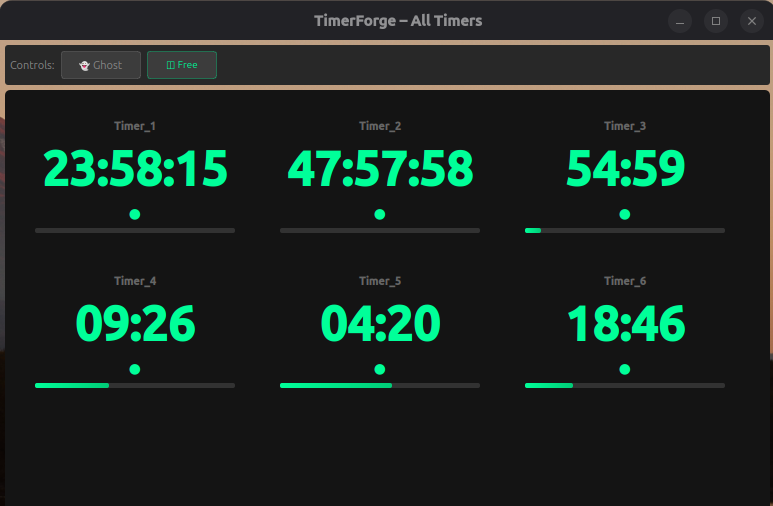
Unlimited parallel timers, each with its own sound, each doing its own thing. No subscriptions. No telemetry pinging home. One price, and it's yours forever. Now it bills your clients too.

Track your hours. Bill your clients.
Start a stopwatch per project, log time as you go, and when you're ready to invoice, TimerForge does the math and builds the PDF for you — client details, line items, tax, total, all filled in.
Track
One project, one click. Switch between clients all day — every session logs itself.
Invoice
One click turns unbilled hours into a real, line-itemed PDF — tax included if you need it.
Export or integrate
CSV for any accounting software, or push straight into Invoice Ninja if that's what you run.
Start, stop, and switch between projects — every session is logged and totalled automatically.
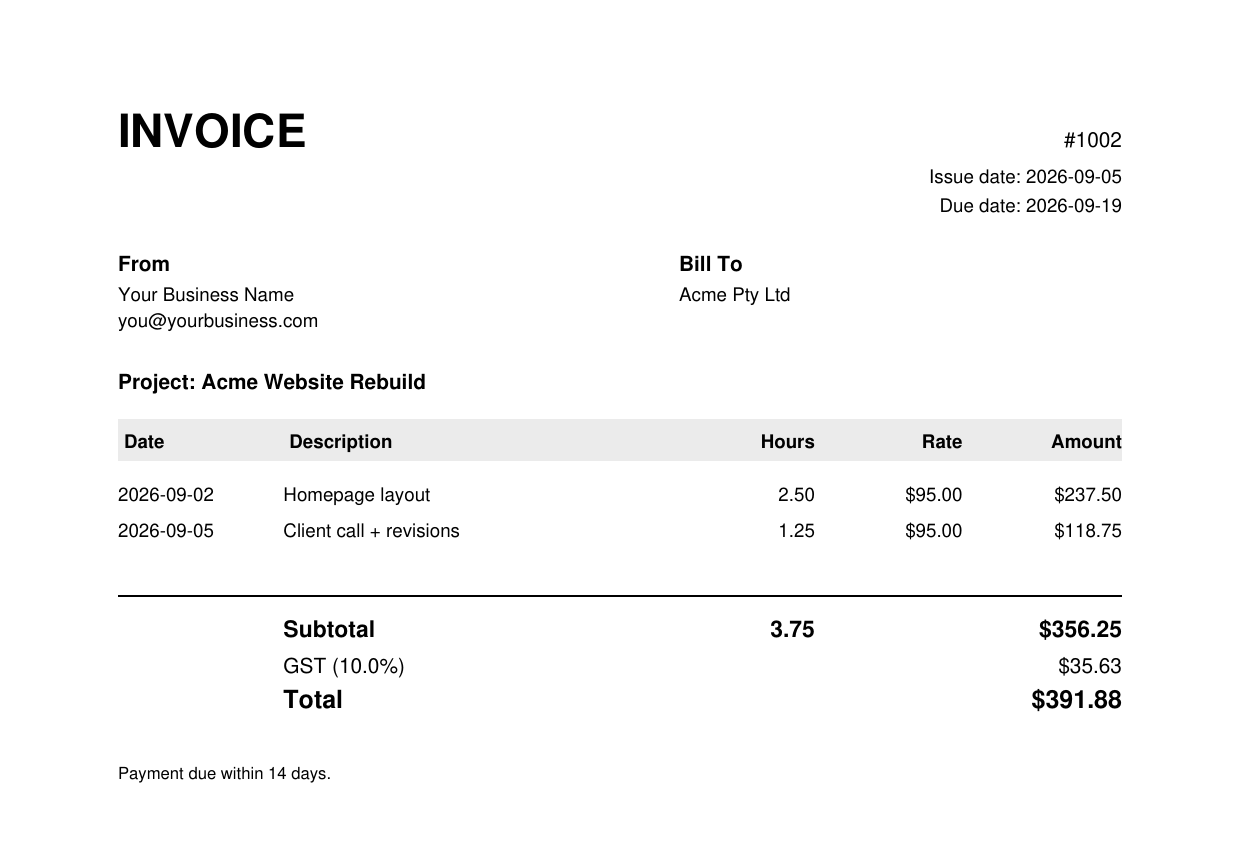
One click turns unbilled sessions into a line-itemed invoice — PDF, CSV, or straight into Invoice Ninja.
Included free with your TimerForge license — no extra purchase, no subscription. Currently in final testing; watch this space.
Built different
Unlimited parallel timers
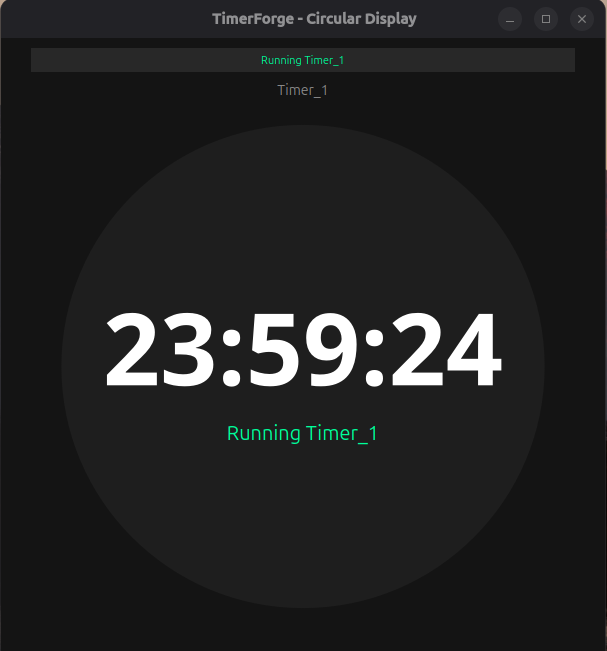
Run as many timers as your screen can hold. Cooking three things while running a Pomodoro while tracking a meeting? That's the point. Each timer is its own window with its own settings and sound.
Your sounds, your rules
Drop in any MP3, WAV, or OGG file. Give each timer a different alarm so you always know which one fired.
7 themes
Dark, Light, Ocean, Sunset — pick what fits your workspace. Adjustable opacity too, from barely-there to fully visible.
Keyboard shortcuts
Space to pause, R to reset — control timers without touching the mouse. Every shortcut is in the guide.
Ghost mode
Timer windows become click-through — visible on screen but invisible to your mouse. Keep the countdown in view without it getting in the way.
Interval alerts
Get a nudge at 10s, 30s, 1m, or 5m before the timer ends. Never let a finish sneak up on you.
Count up or down
Start from zero and count up, or set a target and count down. Switch modes per timer — they're all independent.
No subscription, ever
One price. All platforms. All future updates. No account required to use the app — your license is validated locally.
Perfect For
Cooking
Time multiple dishes simultaneously with different alarms for each.
Workouts
Track exercises, rest periods, and circuit training intervals.
Study Sessions
Pomodoro technique with customizable work and break intervals.
Meetings
Keep track of presentation time, Q&A, and total meeting duration.
Freelancing
Track billable hours per client with Work Tracker, then generate the invoice — see how it works.
What Our Users Say
Built for people who run more than one thing at once
Be the first to leave a review — real feedback from real TimerForge users will show up here.
Leave a Review
Reviews are checked before they go live, so yours won't appear immediately.
Simple Pricing
One-time purchase. All platforms. Free updates.
TimerForge
One-time payment
Each license key activates on one computer. Choose the quantity that matches how many of your own devices you want to run TimerForge on — or buy extra to gift a key to someone else.
- ✓ Windows, macOS, and Linux
- ✓ Unlimited timers per installation
- ✓ All themes and fonts
- ✓ Custom MP3 sounds
- ✓ Free lifetime updates
- ✓ Email support
- ✓ 30-day money-back guarantee
Secure payment via Stripe • Instant download
Download
Choose your platform
Frequently Asked Questions
Can I use TimerForge on multiple computers?
Each license key activates on one computer, but works across Windows, macOS, and Linux. Choose the number of licenses above to match how many of your own devices you want to run TimerForge on.
Do I need to install anything?
No! TimerForge is a standalone application. Just download, extract, and run. No Python or other dependencies required.
What's your refund policy?
We offer a 30-day money-back guarantee. If you're not satisfied, email us for a full refund.
Will I get future updates?
Yes! All future updates are free for life. We regularly add new features and improvements.
Can I use my own sounds?
Absolutely! TimerForge supports custom MP3, WAV, and OGG files. Use any sound you like.
Is there a trial version?
Due to the low price and money-back guarantee, we don't offer a trial. But you can request a refund within 30 days if not satisfied.